The Test Items tab is shown below.
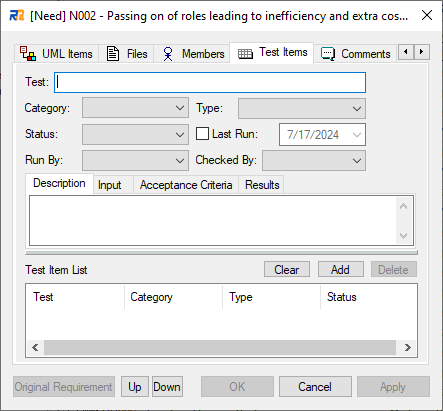
This tab is used for adding test items to a requirement.
Dialog Fields
•Test
Name of this test item.
•Category
Category of this test item. Select from Unit/Integration/System/Acceptance/Scenario.
•Type
Type of this test item. Select from Regression/Standard/Load.
•Status
Status of this test item. Select from Not Run/Pass/Fail/Deferred/Cancelled.
•Last Run
Last run date of this test item.
•Run By
Select a member who tests this item.
•Checked By
Select a member who checks the result of this test item.
•Description/Input/Acceptance Criteria/Results
Description/Input/Acceptance Criteria/Results of this test item.